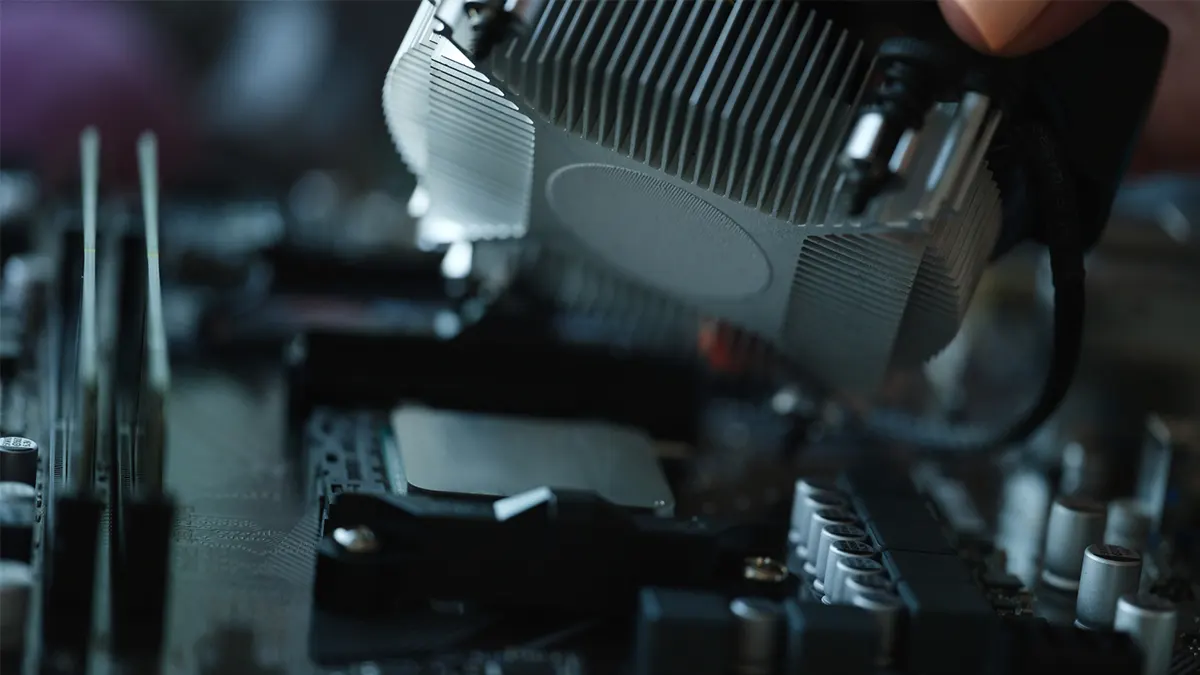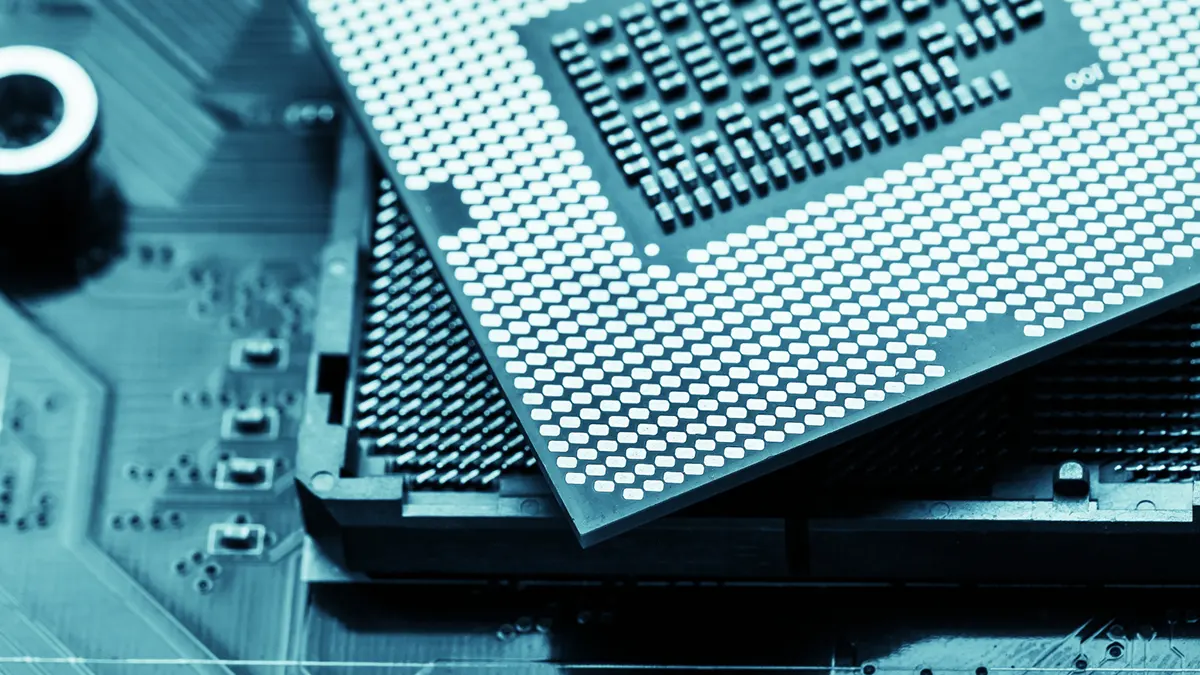
It is of utmost importance that when a PC build is being prepared, the motherboard should be selected carefully, keeping the different requirements of the hardware and components in mind so that they’re compatible together and can function together. When looking to pair Intel’s flagship Core I9-13900K processor with a motherboard, it is of vital importance to determine the capabilities of a motherboard and identify if the board is compatible with the selected processor and whether it will be able to harness the full potential of the processor and the other components. Choosing the best motherboard for i9 13900K in 2023 is quite difficult, but not anymore. We’ve reviewed the top z790 motherboards for the 13th gen CPU, and also we’ve make sure the motherboard gives the best value.
When it comes to picking a motherboard for Intel’s Core i9-13900K processor, it is important to select the correct motherboard that has a beefy power delivery design with enough amps dedicated to the Vcore so that it can easily run the beefy processor without any hiccups. Intel’s flagship Core I9-13900K processor requires a consistent and clean supply of power which is why the motherboards should have high-quality voltage regulator modules (VRMs) that can provide the processor with the required power that is needed. We have prepared a comprehensive list of motherboards that can handle the Intel Core i9 13900K processor without sweat.
Best Motherboard for Intel Core i9 13900K Summary
| Image | Model | Price |
|---|---|---|
|
GIGABYTE Z790 AORUS ELITE AX | See on Amazon |
|
GIGABYTE Z790 AERO G | See on Amazon |
|
Gigabyte Z790 AORUS Master | See on Amazon |
|
ASUS ROG Maximus Z790 HERO | See on Amazon |
|
ASUS ROG Strix Z790 Gaming Wi-Fi | See on Amazon |
|
MSI MEG Z790 GODLIKE | See on Amazon |
|
MSI MPG Z790 Carbon Wi-Fi | See on Amazon |
|
MSI PRO Z690-A Wi-Fi | See on Amazon |
Best Motherboard for Intel Core i9 13900K At a Glance:
- GIGABYTE Z790 AORUS ELITE AX
- GIGABYTE Z790 AERO G
- Gigabyte Z790 AORUS Master
- ASUS ROG Maximus Z790 HERO
- ASUS ROG Strix Z790 Gaming Wi-Fi
- MSI MEG Z790 GODLIKE
- MSI MPG Z790 Carbon Wi-Fi
- MSI PRO Z690-A Wi-Fi
Choosing the Best Motherboard for Intel Core i9 13900K
GIGABYTE Z790 AORUS ELITE AX
REASONS TO BUY
✓ Features a 16+1+2 power phase for overclocking
✓ Decent cooling for VRM
✓ EZ-Latches for PCIe slot
✓ EZ-Latches for M.2 slots
✓ Support for Wi-Fi 6E
REASONS TO AVOID
✗ Does not have a debugging LED
✗ No external temperature sensor ports
✗ One of the M.2 slots share the bus with 2 SATA ports
View on Amazon Read Customer Reviews
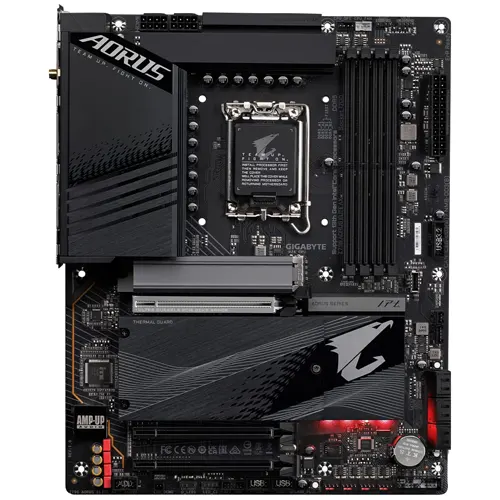
Speaking of the Gigabyte Z790 Aorus Elite AX, it features a jet-black PCB with gray accents with patterns on some components, such as the heatsink, with the chipset itself having RGB under it. The motherboard itself is an ATX form factor suitable for ATX builds. Regarding socket support, it supports the Intel LGA 1700 socket, making it compatible with the 12th and 13th-generation Intel processors. It is powered by a 24-pin ATX power connector and two additional 8-pin ATX EPS power connectors that are utilized to power the CPU itself. The board has a 16+1+2 power phase design incorporated, which ensures smooth and consistent power delivery and provides headroom for overclocking, making it an appropriate gaming motherboard pick for overclocking enthusiasts.
The Gigabyte Z790 Aorus ELITE AX has two addressable LED strip headers and two RGB LED strip headers, which can be utilized for RGB bling and aesthetics. The board has four DIMM slots, which support a maximum of 192GB of DDR5 memory with a memory frequency of up to 7600MHz (OC), dual-channel support, and Extreme Memory Profile (XMP) support. When installing a dedicated graphics card, the board incorporates a PCIe Express 5.0 X16 slot, which can utilize your dedicated graphics card’s full potential and enhance performance.
Regarding network connectivity, it is equipped with the Realtek RTL8125B RJ-45 ethernet to provide a seamless and lag-free online user when connected through ethernet. Suppose you’re planning on using wireless connectivity. In that case, it has incorporated the Intel Wi-Fi 6E AX211 chipset, which uses the 6GHz band, allowing for even faster wireless speeds and providing a lag-free gaming session. Alongside the wireless connectivity, you’ll also have Bluetooth 5.3 connectivity.
The motherboard comes equipped with a single HDMI port 2.0 to utilize onboard graphics to provide a maximum resolution of 4K@60Hz and a single DisplayPort, which can display up to 4K resolution with support for HDCP2.3. The Gigabyte Z790 AORUS Elite AX has features making it a perfect candidate for the Intel I9 13900K.
GIGABYTE Z790 AERO G
REASONS TO BUY
✓ Features five M.2 slots
✓ PCIe gen 5 M.2 slot
✓ Sufficient cooling for VRM
✓ PCIe 5.0 X16 slot
✓ Vision link using USB Type-C with DisplayPort
REASONS TO AVOID
✗ Does not feature WIFI 6E
✗ No rear thunderbolt ports
✗ Limited to two audio ports in the rear
✗ No support for 10Gbe Lan port
View on Amazon Read Customer Reviews
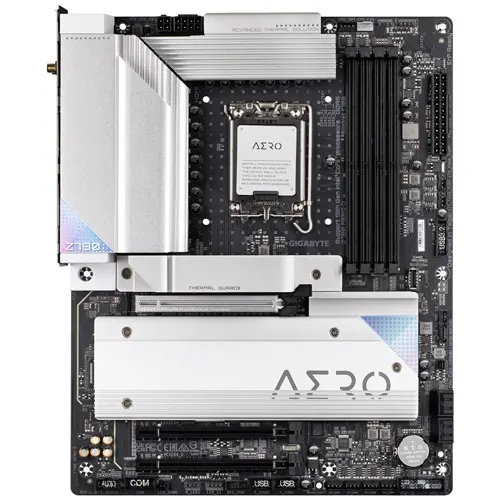
The Gigabyte Z790 AERO G has a jet-black PCB with contrasting silver heatsinks around the board. The heatsinks have the Aero branding, with no RGB found throughout the board. The board has an ATX form factor, making it ideal for PC builds utilizing an ATX-sized case to show off your components. It supports Intel’s LGA1700 socket, which powers Intel’s 12th and 13th generation lineup of processors. It has sixteen 70-amp (70A) MOSFETs dedicated to the Vcore, allowing the motherboard to handle Intel’s flagship Core i9 13900K easily and run smoothly even when overclocked.
The motherboard is powered by 24-pin ATX power connectors coupled with an additional 8-pin ATX power connector and another 4-pin ATX power connector, which is utilized to power the CPU and provide enough juice when it is being overclocked. The board features four DIMM slots, which can accommodate 192GB of DDR5 memory with memory frequency peaking around 7600MHz (OC) with support for Extreme Memory Profile (XMP) and dual channel support.
The onboard audio solution features the infamous Realtek ALC1220 audio codec with support for 7.1 channels to provide an immersive audio experience while gaming or watching movies. It has a single Intel 2.5Gbps RJ-45 port that can be utilized for online and LAN connectivity, ensuring that your online experience is seamless and smooth. For your wireless needs, it comes with one of the latest wireless chipsets, featuring Intel’s WIFI 6E AX211 chipset, which supports the 6GHz band, allowing for greater and interrupted internet speeds over WIFI, and additionally has Bluetooth 5.3 as well.
It has a single HDMI 2.0 port, capable of utilizing onboard graphics to provide a maximum resolution of 4K at 60Hz, coupled with a single USB Type C port, which supports DisplayPort video output and HDR capabilities. For a dedicated graphic card, the motherboard has a PCIe 5.0 X16 slot incorporated, which utilizes all of the available bandwidth of the graphic card for an enhanced gaming experience. The Gigabyte Z790 AERO G is the best motherboard for Intel Core I9 13900K processor.
Gigabyte Z790 AORUS Master
REASONS TO BUY
✓ Has a WHOPPING 14 USB ports in the rear
✓ Has support for 10Gbe LAN
✓ Support for the fastest memory sticks
✓ PCIe EZ latch release button
✓ Incorporates PCIe 5.0 for graphic card
REASONS TO AVOID
✗ Does not have USB4 ports
✗ Limited to four SATA ports only
✗ Dated audio codec
✗ No thunderbolt 4 ports
✗ E-ATX design which can limit case choices
View on Amazon Read Customer Reviews
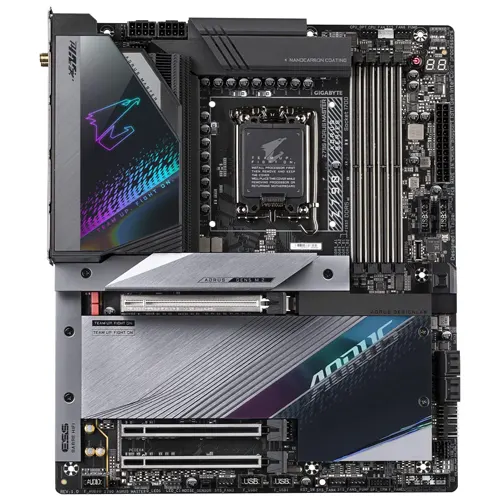
The Gigabyte Z790 Aorus Master sports a matt-black theme throughout the PCB with silver and gray accents on the heatsinks coupled with Aorus’s falcon branding outlined in different colors on top of the heatsink. The board itself sports an E-ATX form factor, which may be annoying to some PC builders as it can limit the choices of their cases in terms of compatibility.
It has incorporated a 23-phase power delivery design with 105-Amp MOSFETs, which are purely dedicated to the Vcore, allowing for easier overclocking and even allowing the motherboard to run Intel’s flagship Core i9 13900K without breaking a sweat even when overclocked. The motherboard is powered by 24-pin ATX power connectors coupled with 8+8-pin ATX power connectors that power and provide the CPU with sufficient juice to allow overclocking, a feature favored by overclocking enthusiasts.
The board has a single integrated DisplayPort 1.2, which can utilize onboard graphics to provide video display at 4K @120Hz. The board has four memory DIMMs built, which can accommodate 192GB of DDR5 memory with a max memory frequency of 8000MHz (OC) with support for Extreme Memory Profile (XMP) and dual channel support. It has a PCIe 5.0 X16 slot for dedicated graphic cards, which can utilize even the latest graphic cards to their full potential.
Regarding LAN and internet connectivity, the board is equipped with the 10Gbe LAN chip, which provides blazing-fast speeds over LAN and a lag-free experience when gaming online. For wireless needs, it has incorporated the Intel Killer WIFI 6E AX1690 chipset, which has a 6GHz band, enhancing wireless connectivity and allowing for an uninterrupted experience when browsing the internet or streaming your favorite movie.
The Gigabyte Z790 Aorus Master does not lag when it comes to onboard audio solutions either; it has an integrated Realtek ALC1220-VB audio codec which is capable of providing 5.1 surround channel as well as crystal-clear audio for the audio enthusiasts out there. The beefy power delivery design of the Gigabyte Z790 Aorus Master no doubt makes it the perfect candidate in the list of our top motherboards for Intel I9 13900K processors.
ASUS ROG Maximus Z790 HERO
REASONS TO BUY
✓ A whopping 12 USB ports
✓ A total of five M.2 sockets
✓ Premium onboard audio solution
✓ 20 phase power delivery design
✓ Equipped with Thunderbolt 4 ports
✓ Equipped with dual PCIe 5.0 ports
REASONS TO AVOID
✗ The pricing is a premium
✗ Some of the features can be found on cheaper boards
View on Amazon Read Customer Reviews
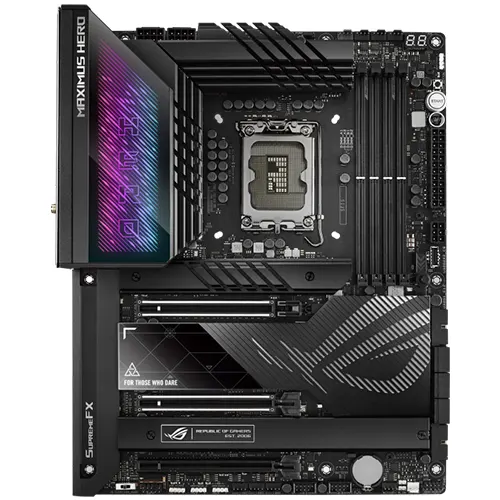
The ASUS ROG Maximus Z790 features a matte-black theme throughout the PCB with slight silver accents along the heatsinks and the ROG branding itself. The rear IO port area has some HERO branding coupled with RGB. The heatsinks are quite enlarged on the board with deep cuts through them which keep the VRMs cool. It also has a very beefy heatsink with a large surface area to keep the thermals low.
The ASUS ROG Maximus Z790 is designed around the ATX form factor, making it an appropriate candidate for ATX-sized cases. It supports Intel’s LGA1700 socket which powers the 12th and 13th generation of Intel processors. The motherboard is powered by a 24-pin ATX power connector coupled with dual 8+8-pin ATX power connectors that power and provide juice to the CPU and help it with its overclocking capabilities.
The ASUS Rog Maximus Z790 has four memory DIMM slots, which can accommodate 192GB of DDR5 memory with memory frequencies that can peak at 7800MHz (OC) with support for Intel Extreme Memory Profile (XMP) and dual channel support. For a dedicated graphics card, it has not one but two PCIe 5.0 X16 slots. Additionally, it comes equipped with 2 PCIe 4.0 x4 M.2 sockets coupled with six SATA3 6Gbps ports that can be used to power hard drives or SATA SSDs.
The board has a single HDMI 2.1 port, which can utilize onboard integrated graphics to provide a maximum resolution 4K. Fancy some RGB? Well, the ASUS ROG Maximus Z790 has 3x aRGB (3Pin) connectors and a single AURA RGB (4pin) connector to satisfy your need for RGB bling. For LAN and connectivity purposes, the board has a 2.5Gbe RJ-45 port incorporated for ethernet and Intel’s AX201 WIFI 6E which has 6GHz bands to provide a consistent and uninterrupted experience when browsing the web. For our fellow audio enthusiasts, the ASUS ROG Maximus Z790 has top-of-the-line premium onboard audio solutions thanks to its ROG SupremeFX ALC4082 audio chipset which has support for 7.1 channel with a signal-to-noise (SNR) ratio of 120dB.
If your wallet is looking to take a beating in order to get some of the most premium and exclusive features for your PC build, look no further with the ASUS ROG Maximus Z790 which can be paired with Intel’s flagship Core I9 13900K processors.
ASUS ROG Strix Z790 Gaming Wi-Fi
REASONS TO BUY
✓ PCIe Gen 5 and DDR5 support
✓ Attractive design and great build quality
✓ Plenty of M.2 slots
✓ Plenty of USB ports
✓ Great functional features such as Q-Latch and Q-Release
✓ Great overclocking capabilities
✓ More affordable compared to other high-end AM5 motherboards
✓ Great audio codec
✓ Wi-Fi 6E and Bluetooth 5.3
REASONS TO AVOID
✗ Only four SATA ports
✗ Does not support USB 4
View on Amazon Read Customer Reviews
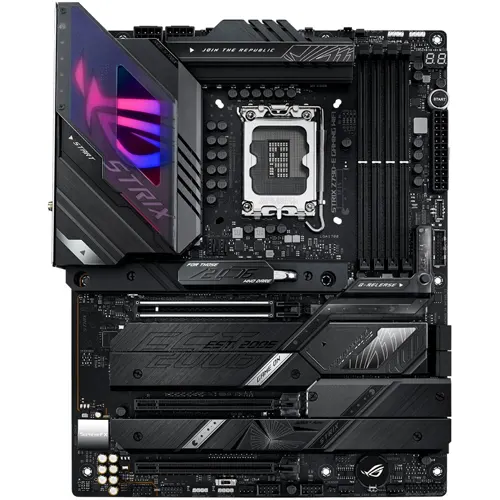
The ASUS ROG Strix Z790-E Gaming Wi-Fi is a well-rounded motherboard choice for the Intel Core i9-13900K. It comes bundled with all the best features you would need without the unnecessary extras. It features a robust 18+1 power delivery design rated at 90A that can handle overclocking. It has a beautiful black brushed aluminum aesthetic and a bold ASUS aura lighting RGB flair on the heatsink.
The PCIe slot features ASUS’s Q-Release feature for easy graphics card removal and Q-latch for toolless M.2 installation and supports PCIe 5.0×16 and two more slots at PCIe 4.0×16. It supports DDR5 RAM with four DIMM slots and memory overclocking up to 7800+MHz. The VRMs also run cool even after long stress tests, making it a very attractive motherboard choice.
For storage, it comes with only four SATA ports and five M.2 slots for your NVMe SSDs. One of the M.2 slots supports PCIe 5.0×4 while the other four support PCIe 4.0×4. As for connectivity, it has plenty of USB ports, with twelve rear USB ports and nine front USB ports. Seven rear USB ports support USB 3.2 Gen2, and the other four support USB 3.2 Gen1 and a single USB-C 3.2 Gen2x2 port that supports 20GB/s speeds. It also features the ROG SupremeFX 7.1 Surround sound audio with the Realtek ALC4080 codec with gold-plated audio jacks. For networks, it comes with Intel’s 2.5G Asus LAN Guard and also supports Wi-Fi 6E and Bluetooth 5.3
As for the fan headers, it features eight PWM fan headers along with three 3-pin addressable RGB Gen 2 headers to make your PC gleam with RGB. It also has many enthusiastic features, such as diagnostic LEDs, a BIOS flashback for easy BIOS upgrade, a clear CMOS button, and a convenient onboard power button for testing and troubleshooting. It also has an integrated IO shield, which provides ease during installation.
If you are looking for the best motherboard for the Core i9-13900K that perfectly balances price, features, and aesthetics and is great for the 13th generation Intel, this one is the right choice.
MSI MEG Z790 GODLIKE
REASONS TO BUY
✓ PCIe Gen 5 and both DDR4 and DDR5 support
✓ M-Vision LCD dashboard
✓ Thunderbolt 4 support
✓ Seven M.2 slots
✓ Insane amount of features
✓ Easy building and management features such as Q-Latch and Q-Release
✓ Great overclocking capabilities
✓ USB 4.0 ports
REASONS TO AVOID
✗ Very expensive
✗ Doesn’t have much RGB
View on Amazon Read Customer Reviews
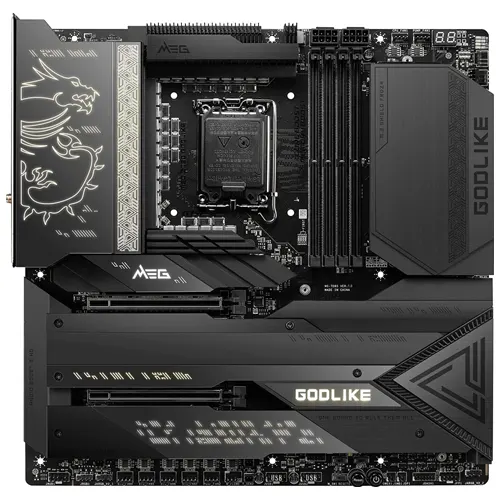
The MSI MEG Z790 GODLIKE motherboard is undoubtedly the best E-ATX motherboard that MSI offers. It is MSI’s most expensive motherboard with every feature you can think of and is very similar to its predecessor but comes with additional connectivity options.
Design-wise, it has a rather simplistic yet clean design which gives it its premium feel. Undoubtedly the highlight of this motherboard is its 4.5-inch IPS LCD panel, the M-Vision Dashboard. It is USB-C powered, has speakers, and is touch-responsive which monitors your system in real-time along with the ability to add customized GIFs or images.
As expected from a motherboard of this caliber, it supports PCIe 5.0×16 and DDR5 speeds up to 7800MHz and supports up to 192GB RAM. It also has the most amount of power phases on any motherboard, being 26+2 DPRS power stages supporting 105A amperes. The PCB is 8-layer server grade with 2 oz of copper and comes with multiple cooling features such as a fully covered metal backplate, wavy fin design, and fully aluminum heatsinks using the highest quality 7W/mK thermal pads.
There are multiple storage options as well, with six SATA ports and seven M.2 slots where one is PCIe 5.0×4, five are PCIe 4.0×4 and the seventh is PCIe 3.0×4. For fan headers, there are a total of ten fan and pump headers combined and it also has three 3-pin aRGB ports to connect all your aRGB parts. Adding to that, it also has a debugging LED, clear CMOS, and flash BIOS buttons, and all headers and connectors on the board are right-angled which allows the cables to be managed cleanly.
Coming to connectivity, the main plus point is that it has two Thunderbolt 4 ports that support speeds up to 40Gb/s and a DisplayPort that supports 8K resolutions. It also comes with plenty of USB ports such as eight USB 3.2 Gen 2 ports on the rear integrated IO. There are an additional ten USB ports available through the motherboard’s internal headers. As far as network connectivity is concerned, it includes the Marvell AQC113 for 10Gbe along with a second LAN port for 2.5Gbe. Additionally, it uses the Realtek ALC4080 with an ESS 9280DAC for audio.
This is undoubtedly one of the most premium motherboard with a robust power delivery system you can buy to pair with the i9-13900K.
MSI MPG Z790 Carbon Wi-Fi
REASONS TO BUY
✓ PCIe Gen 5 and DDR5 support
✓ Five M.2 slots
✓ Plenty of USB ports
✓ 19+1+1 power phases
✓ Great design
REASONS TO AVOID
✗ No 10Gbe LAN
✗ No Thunderbolt 4 connectivity
View on Amazon Read Customer Reviews
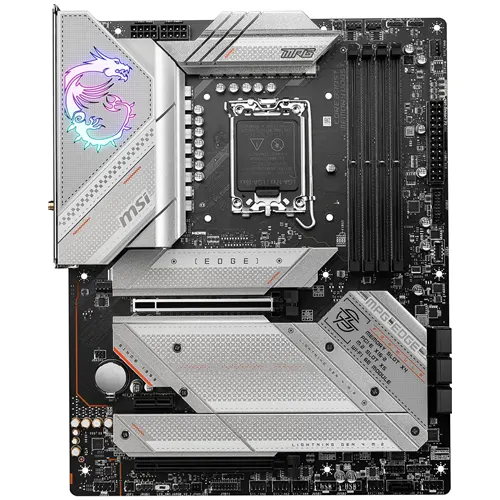
The MSI MPG Z790 Carbon Wi-Fi is an E-ATX motherboard for the 12th and 13th Gen Intel Core processors that use an LGA 1700 socket. It has a very attractive design with a large RGB MSI dragon on the IO shield cover and follows a carbon-black color scheme. This is ideal for people who love a minimalist design with some RGB.
This motherboard has an enhanced power design with 19+1+1 power phases with 105A power stages to maximize the full potential of the Intel Core i9-13900K. It supports DDR5 RAM with support for up to 128GBs of RAM with overclocked speeds of 7600+MHz.
It also features an extended heatsink and an enlarged PCH heatsink for maximum heat dissipation efficiency and uses high-quality 7W/mK MOSFET thermal pads. It also features MSI’s double-sided M.2 Shield Frozr and enlarged heatsink to keep M.2 SSDs as cool as possible and prevent throttling. It also comes with a server-grade 8-layer PCB, which is built to achieve the highest quality and performance.
The MSI Z790 Carbon also features a lightning Gen 5 PCIe slot with an advanced SMT that prevents electromagnetic interference and is also strengthened with MSI Steel Armor with extra solder points to support heavy graphics cards. Additionally, two more PCIe slots run at PCIe 4.0×16.
As for storage, it comes with a whopping five M.2 slots, which are fully latch-less and screw-less, where one slot runs at PCIe 5.0×4 while the other four use M.2 EZ latch at PCIe 4.0×4. It also includes six SATA ports, enabling ample storage options. It also has plenty of fan headers and features such as a Smart Button, Clear CMOS, and easy Flash BIOS.
Regarding connectivity, it features ten rear and seven front USB ports with one USB 3.2 Gen 2×2 Type-C for the front and rear with speeds up to 20Gbps. Coming to networking, it supports 2.5GB LAN, Wi-Fi 6E, and Bluetooth 5.3. It also supports the latest Realtek ALC 4080 codec and 7.1-channel audio and comes with debugging features such as the EZ Debug LED and EZ LED control switch. It has the best motherboard for the Intel Core i9 13900K for a gaming PC.
MSI PRO Z690-A Wi-Fi
REASONS TO BUY
✓ Very competitive price point
✓ Plenty of USB ports
✓ Wi-Fi 6E and Bluetooth 5.3
✓ 14+1+1 power phase design
✓ DDR5 RAM speeds up to 6400+MHz
✓ Supports PCIe 5.0×16
REASONS TO AVOID
✗ Design might be too generic and simple for some
✗ Not recommended for extreme overclocking
✗ No PCIe 5.0 M.2 slots
✗ No integrated IO shield
View on Amazon Read Customer Reviews
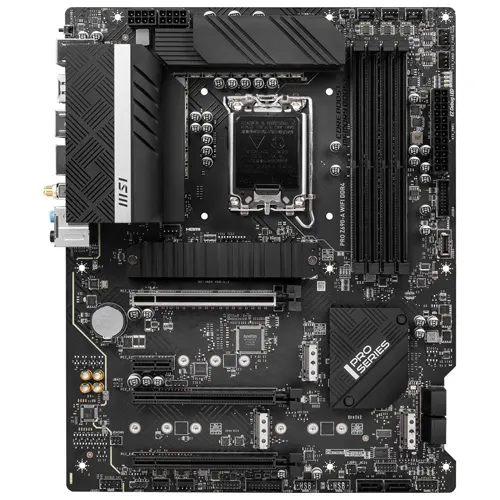
The MSI PRO Z690-A Wi-Fi is an ATX motherboard with the LGA 1700 socket for the Intel Core 12th and 13th CPUs. It is a 6-layer PCB with 2oz thickened copper for high performance and long-lasting system stability. It also features an extended heatsink with 14+1+1 power phases and an enhanced circuit design to unlock the maximum potential of the CPU.
As for the aesthetics, it is generally black and quite minimalistic as other MSI PRO motherboards but it might be too simple for many, but if you’re a fan of that aesthetic, you will love this motherboard. It also features advanced Surface Mount Technology DDR5 memory slots which prevents electromagnetic interference and supports up to 192GB of RAM across four slots.
The PCIe slot supports PCIe Gen 5 and AMD Crossfire Technology and is reinforced with MSI Steel Amor which protects it from bending due to heavy graphics cards and also protects it from EMI for greater performance and stability.
As for where connectivity is concerned, it comes with seven USB ports, which support USB 2.0, USB 3.2 Gen1 and Gen 2, and one Type-C USB port which is USB 3.2 Gen 2×2. The audio department supports 7.1 channel audio with the Realtek ALC897 codec. For the network, it supports 2.5 Gbps LAN, Wi-Fi 6E, and Bluetooth 5.3.
It also comes with four M.2 slots that are strengthened with M.2 Shield Frozr which keeps them cool in order to prevent throttling. Unfortunately, it doesn’t support PCIe 5.0 for the M.2, only PCIe 4.0×4 the attractive price point still makes it an enticing choice.
This board also comes with an EZ Debug LED that helps during troubleshooting and a Flash BIOS button to make flashing BIOS easy without the need for a CPU. Unfortunately, it only has one addressable RGB connector, so this motherboard is not for you if you plan to add a lot of RGB in the build.
To sum it up, this motherboard is a great budget choice if you do not want to spend too much while having a decent number of features and want VRMs that are sufficient to handle the i9-13900K.
Final Verdict on motherboards for intel Core i9-13900K
In conclusion, it is of fundamental importance to pick the correct motherboard for Intel’s Core I9-13900K processor to ensure that the motherboard can harness the complete potential of the processor and enable the system to yield high performance. It is also important to select the motherboard with the correct socket, which is LGA1700 for Intel’s 12th and 13th-generation processors in order to ensure that the processor is completely compatible and can be integrated with the motherboard.
Our comprehensive list of best motherboards has hand-picked one of the finest Z790 chipset motherboards that utilize a robust power-delivery design with high-quality voltage regulator modules (VRMs) which can provide the Core i9-13900K with clean and consistent power to allow it to function at its maximum performance level. We have also considered the different connectivity options on the motherboard, such as the PCIe slots for the graphic card as well as the M.2 slots to allow for future expandability as well.
It is important to carefully consider all aspects of a motherboard according to the requirements of the processor as well as your budget which is why we have provided you with different options that can be paired with Intel’s Core i9-13900K processor.